ARKRON

Loading

Arkron
Talk to Arkron

ConfiSense

Years of Jira administration can leave behind hundreds of workflows, schemes, fields and screens — many duplicated, unused or difficult to assess safely.

ConfiSense gives Jira Cloud administrators an evidence-based view of that configuration: what exists, where it is used, what depends on it and what may need attention.

For identical workflows, ConfiSense goes further — enabling consolidation with recorded restore points and rollback.

Platform: Jira Cloud
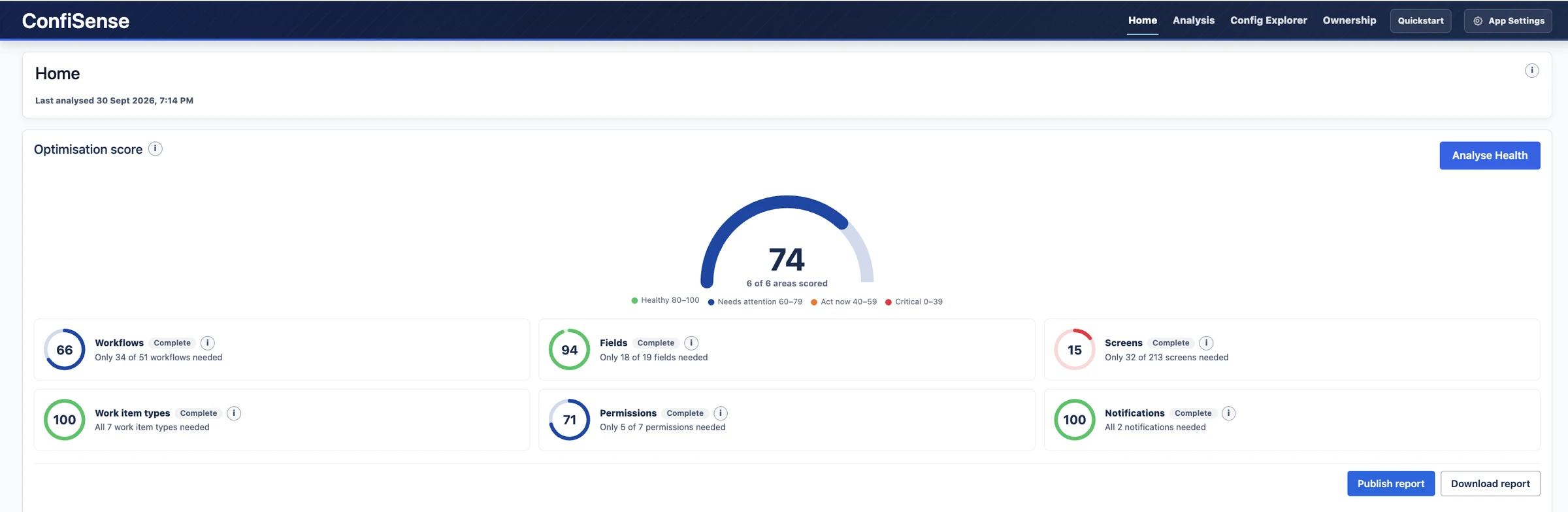
ConfiSense Home screen with an optimisation score of 74 and scores for six configuration areas
Home: the optimisation score and the score for each configuration area.

ConfiSense

Large Jira environments accumulate configuration over time.

Workflows are copied. Schemes multiply. Fields and screens remain long after their original purpose has disappeared. Administrators are often left managing objects they did not create, with limited certainty about what can safely be changed.

ConfiSense brings that configuration into view.

It analyses the site, identifies duplication and disuse, and shows the evidence behind each finding so administrators can make decisions with greater confidence.

ConfiSense

See where attention is needed.

ConfiSense provides an overall optimisation score for the site, supported by scores across individual configuration domains.

A Quick Action View highlights what needs attention, what requires review and what has changed recently.

Instance Health reports can also be published to Confluence.

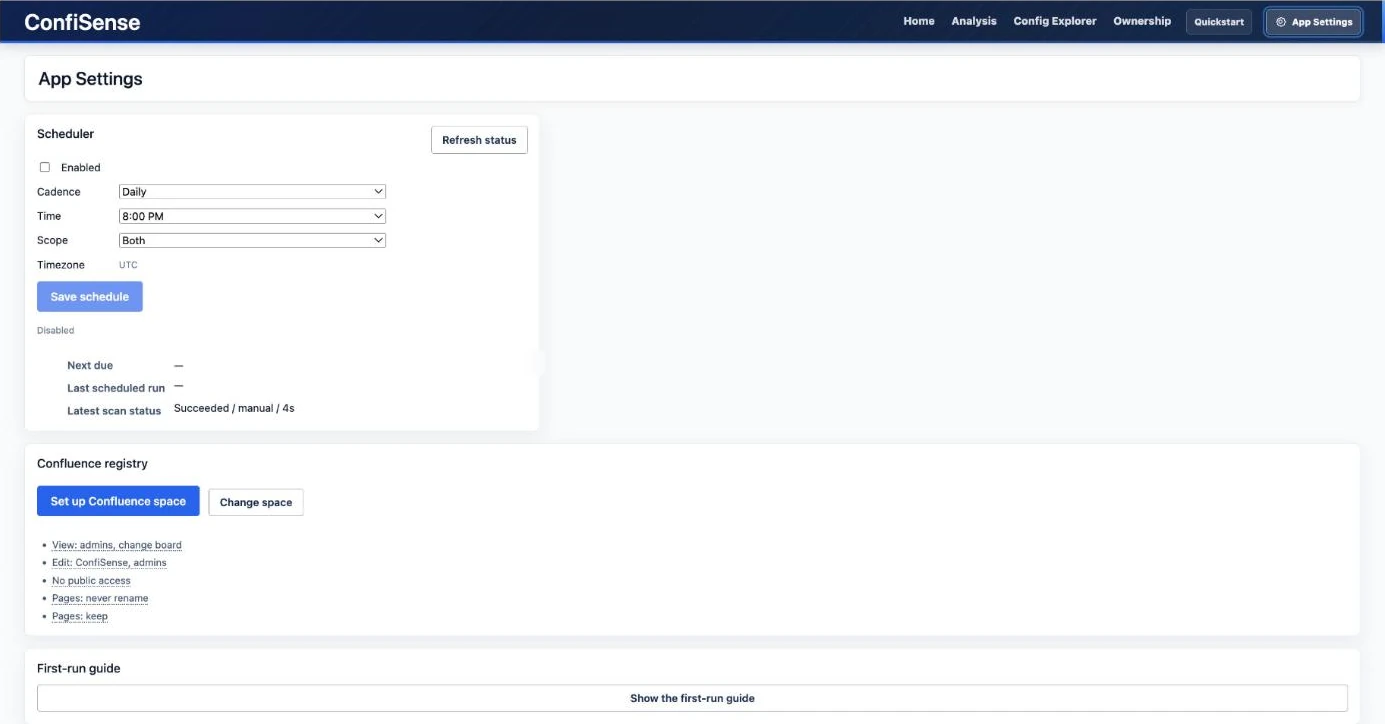
Scans can be run on demand or scheduled from App Settings.

Quick Action View with counts to action and to review, and a configuration search box
Quick Action View: what to action, what to review and what changed recently.
App Settings with a scan scheduler and Confluence registry settings
App Settings: schedule scans and set up the Confluence space for published reports.

ConfiSense

Analyse the areas that create complexity.

ConfiSense analyses multiple Jira configuration domains independently.

  • Workflows: Identify workflows that are identical across statuses, transitions, rules and properties, and see which workflows are inactive.
  • Fields: Identify duplication, review recent activity and surface potential cleanup candidates before removal is considered.
  • Work Item Types: Review inventory, duplicate names, cross-project usage and areas where available evidence is incomplete.
  • Screens: Find exact duplicate groups and distinguish proven active usage from configuration references alone.
  • Permission Schemes: Identify schemes with identical grants and review the project reassignments required for consolidation.
  • Notification Schemes: Identify schemes configured to notify the same audiences for the same events.

Analysis is read-only. No configuration is changed until an administrator confirms an action.

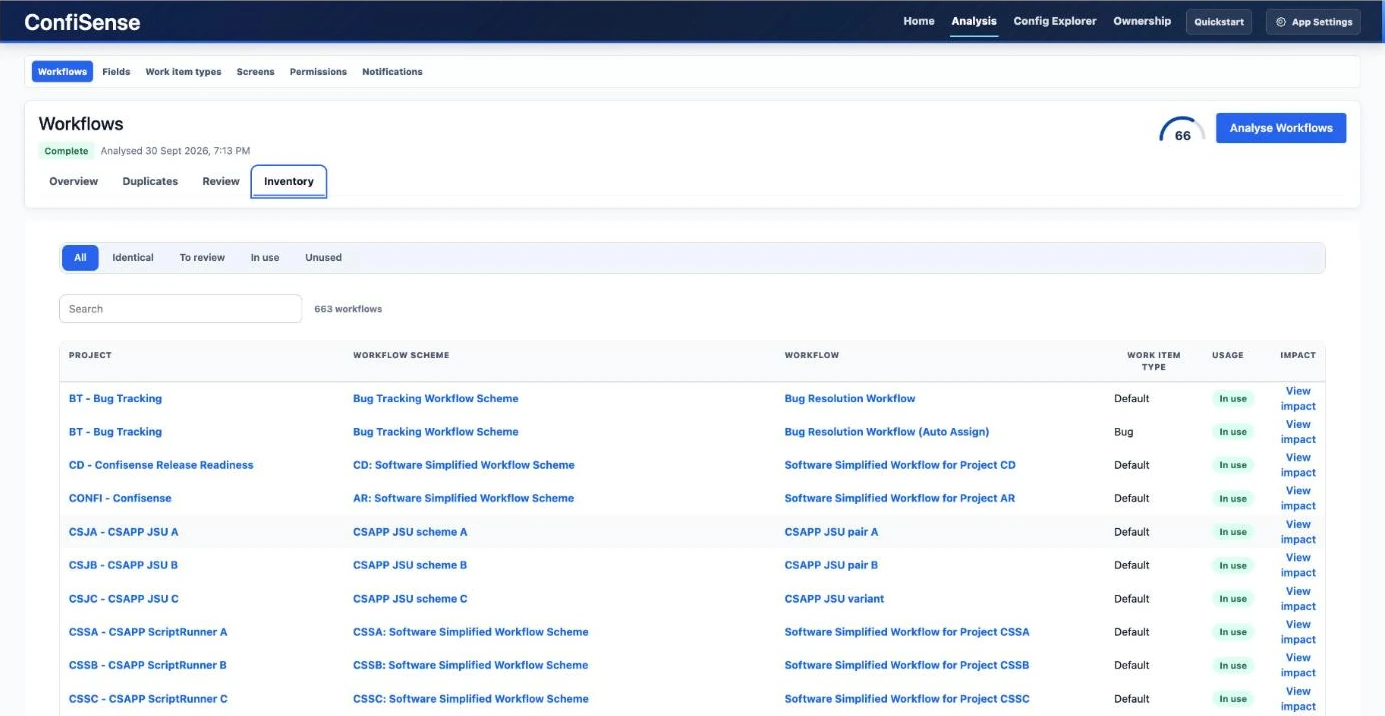
Workflows inventory listing projects, workflow schemes, workflows and usage
Workflows: every workflow with its project, scheme, usage and impact.
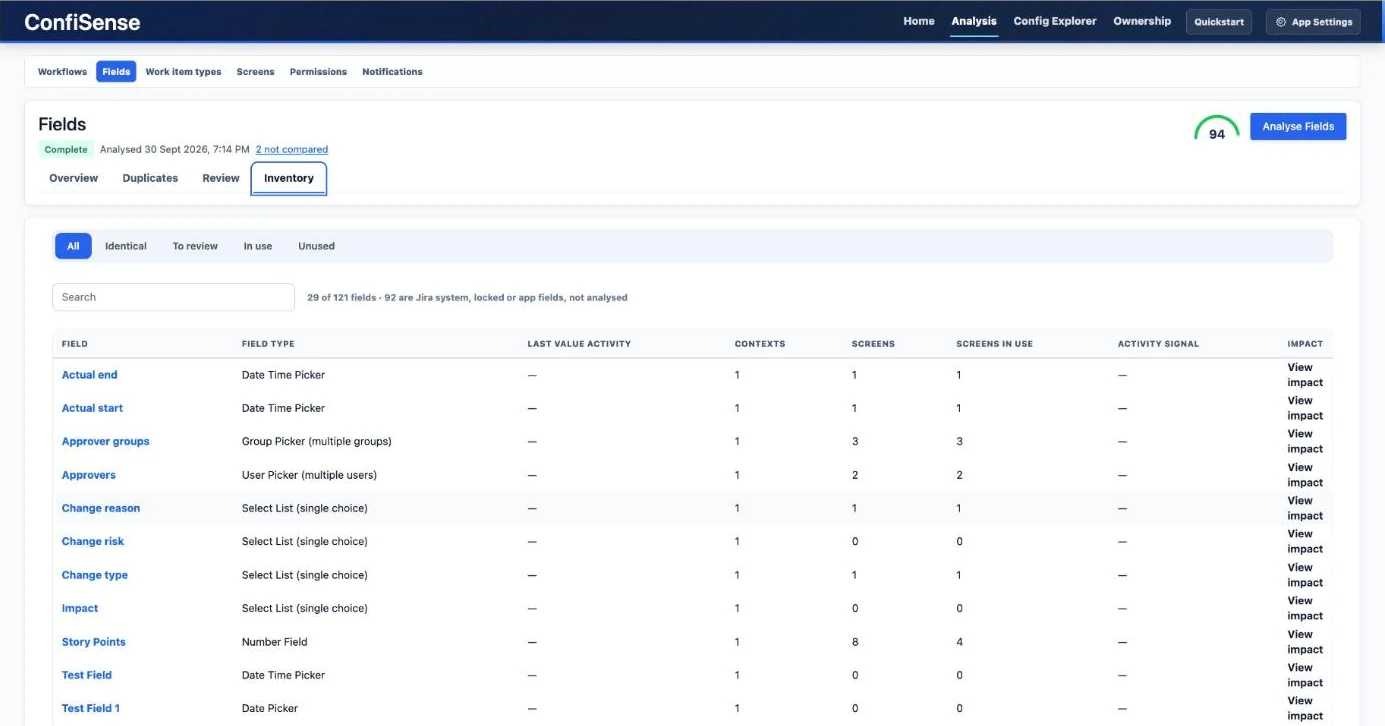
Fields inventory with contexts, screens and activity columns
Fields: contexts, screens and activity, with fields that cannot be analysed counted separately.
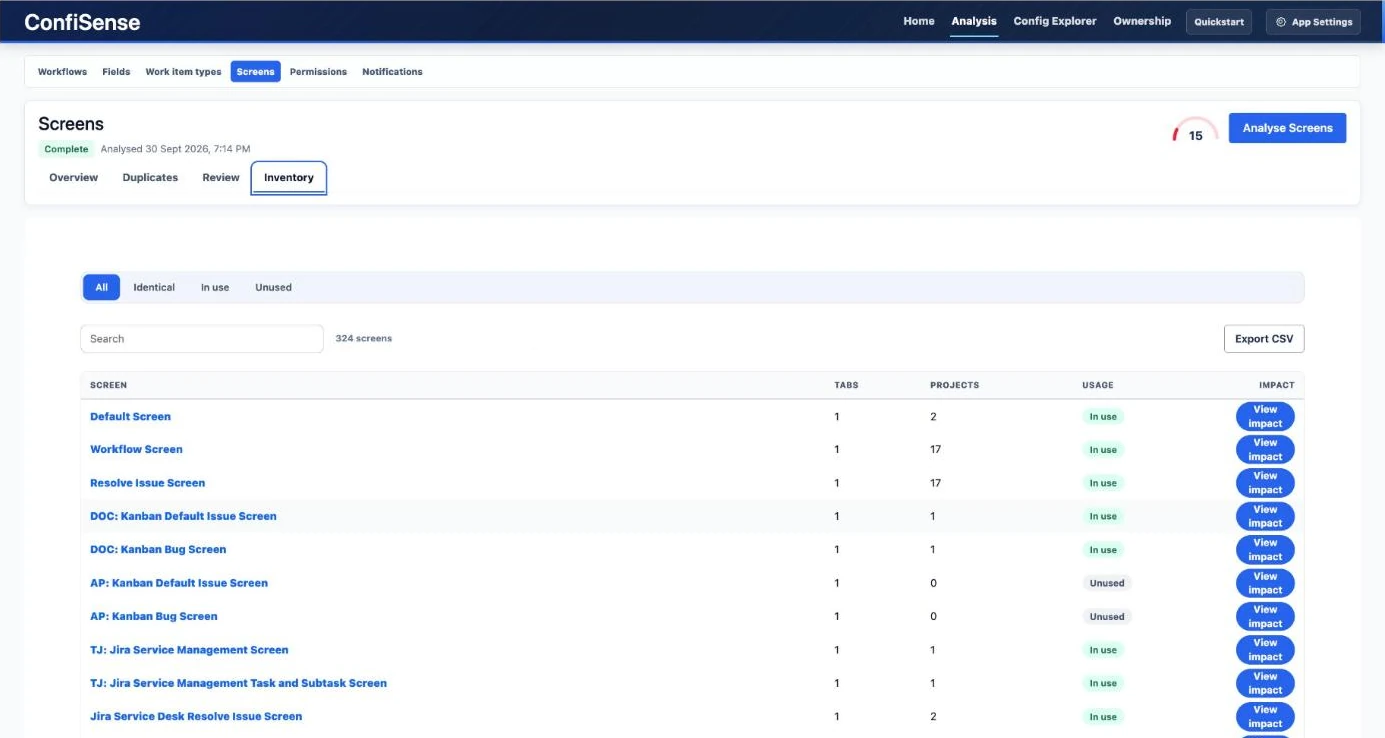
Screens inventory with tabs, projects and usage
Screens: usage for every screen, with an impact view for each one.
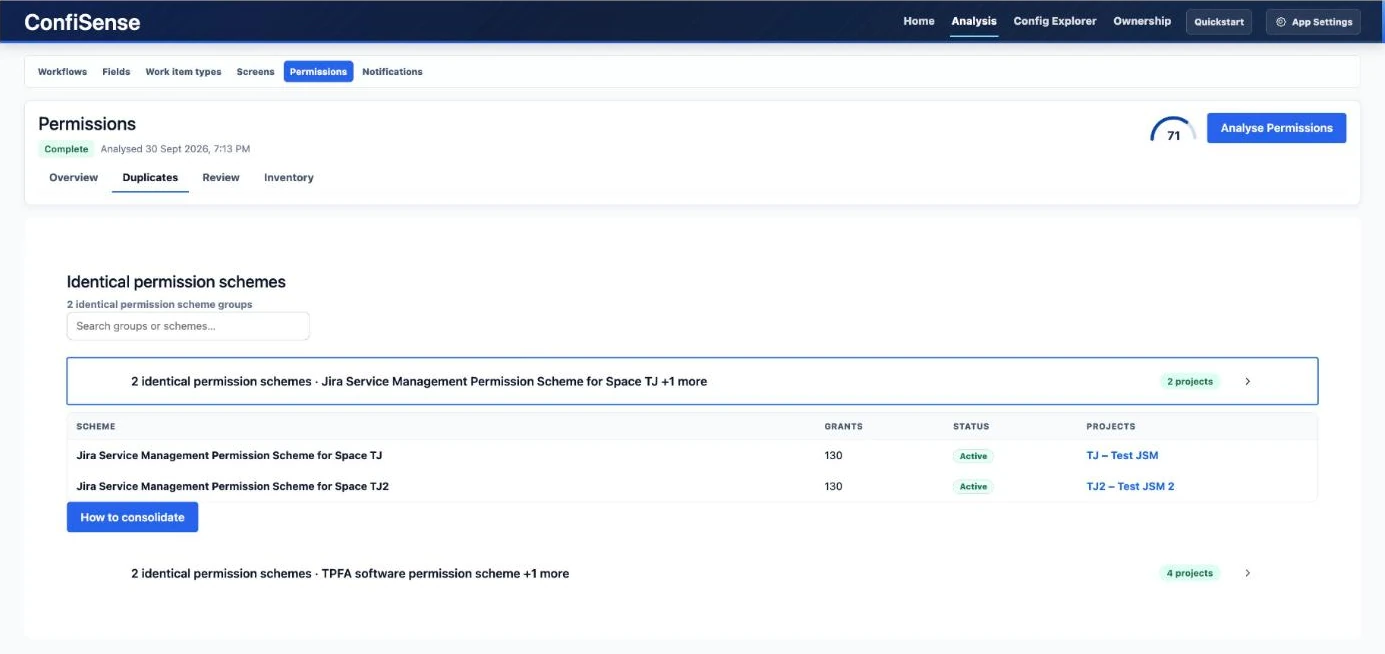
Identical permission schemes grouped together with a How to consolidate button
Permission schemes: groups of schemes with identical grants.

ConfiSense

Understand an object before you touch it.

Search for a configuration object and see its role within the wider Jira environment.

For each object, ConfiSense can show:

  • Overview: what the object is, its status, usage and associated risk note.
  • Dependencies: how it connects to schemes, projects and work item types.
  • Usage: where the object is currently referenced and mapped.
  • Impact: how broadly the object is used and how many work items sit on it.
  • History: previous ConfiSense consolidations or rollbacks involving that object.
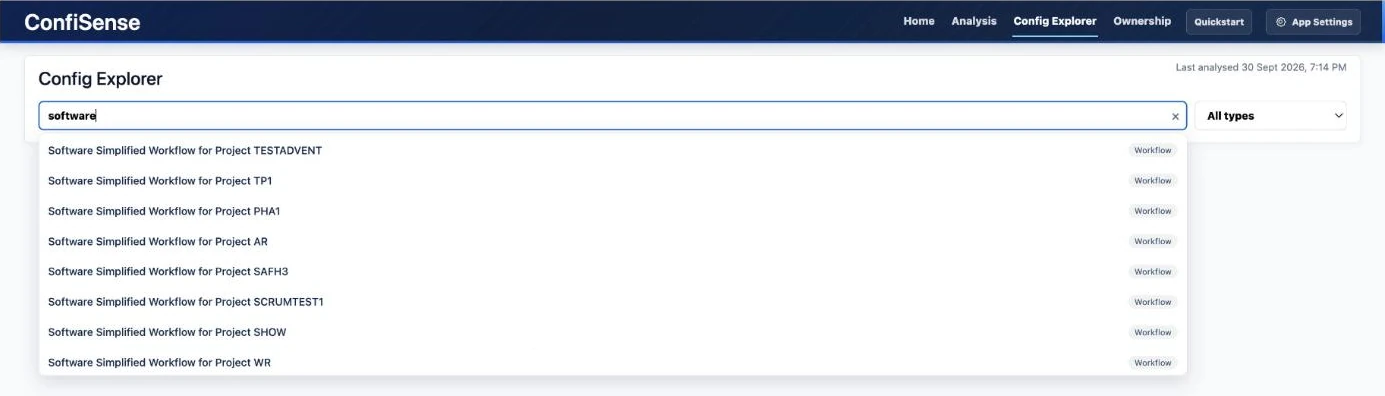
Config Explorer search box with matching workflows listed
Config Explorer: search for a configuration object by name.
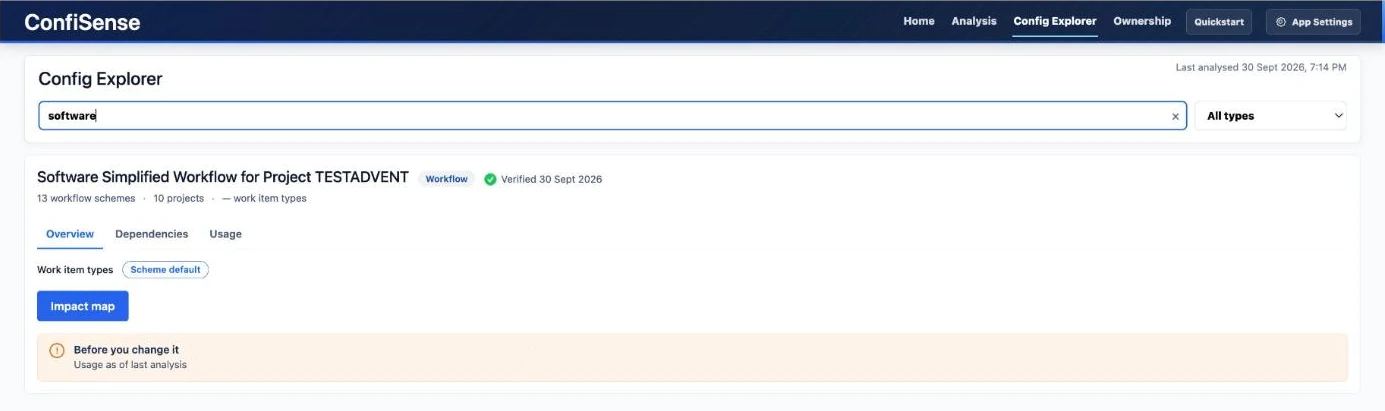
A workflow opened in Config Explorer with overview, dependencies and usage tabs
Config Explorer: an object’s overview, dependencies and usage, with an impact map.

ConfiSense

Consolidate identical workflows with a way back.

Where ConfiSense identifies identical workflows, administrators can select the workflow to retain and review exactly which workflow schemes will be affected before confirming the change.

For every affected scheme, ConfiSense creates a restore point, applies the new workflow mapping and records the outcome.

Work items are not migrated, moved or edited. Only the workflow mapping on the scheme changes.

Each scheme is processed independently so the result of one does not obscure what happened to another.

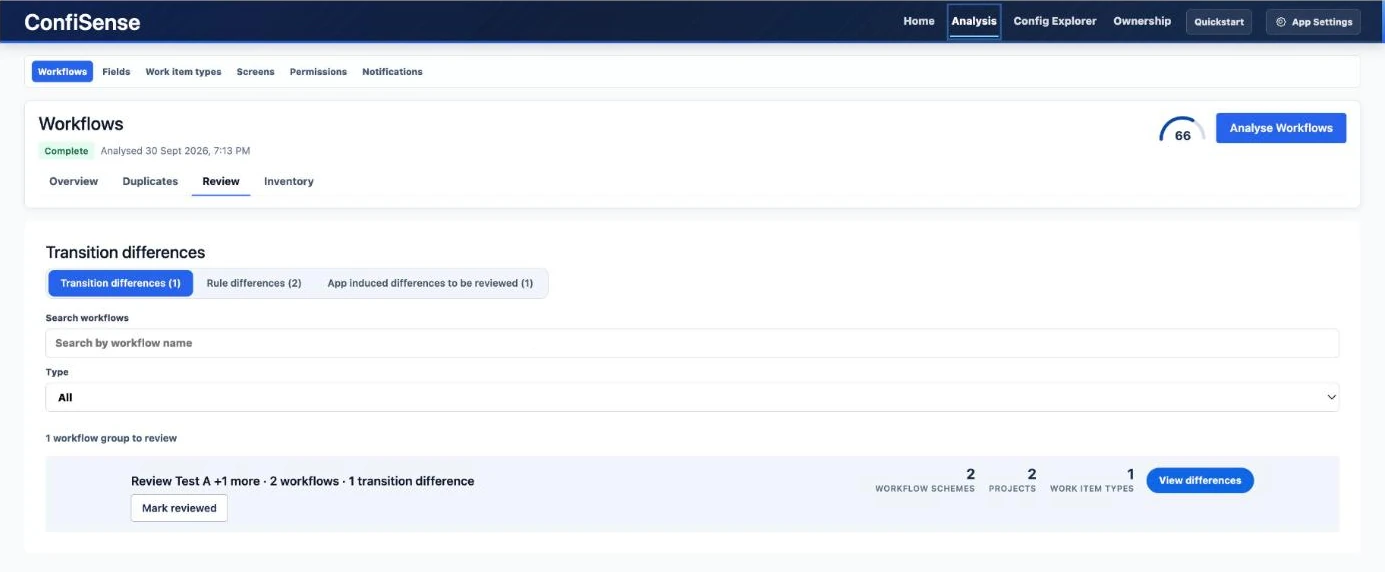
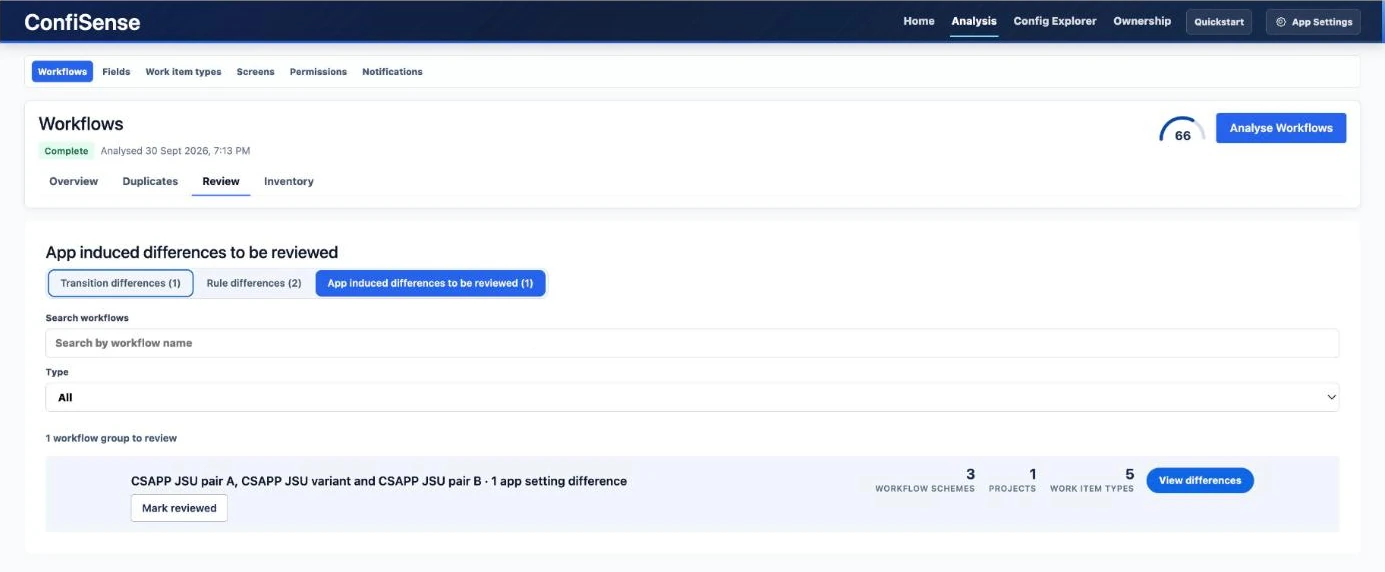
Review shows where near-identical workflows differ, whether in transitions, rules or app settings, so you can decide what needs attention before anything is changed. Each group can be marked as reviewed.


Workflow Review tab listing a group with a transition difference
Review: near-identical workflows that differ in a transition.
Workflow Review tab listing a group with an app setting difference
Review: differences caused by app settings. Each group can be marked as reviewed.

ConfiSense

Every consolidation is reversible.

Each workflow consolidation is recorded in History and can be rolled back.

Before rollback, ConfiSense shows the schemes that will be affected. The previous mapping is then restored using the same restore-point mechanism and the result is recorded.

ConfiSense

Reassign filters and dashboards when ownership changes.

Find filters and dashboards by owner, identify entities belonging to inactive users, and transfer ownership to another active user.

Every transfer is recorded for later review.

ConfiSense

ConfiSense bases its findings on information returned by Jira during analysis.

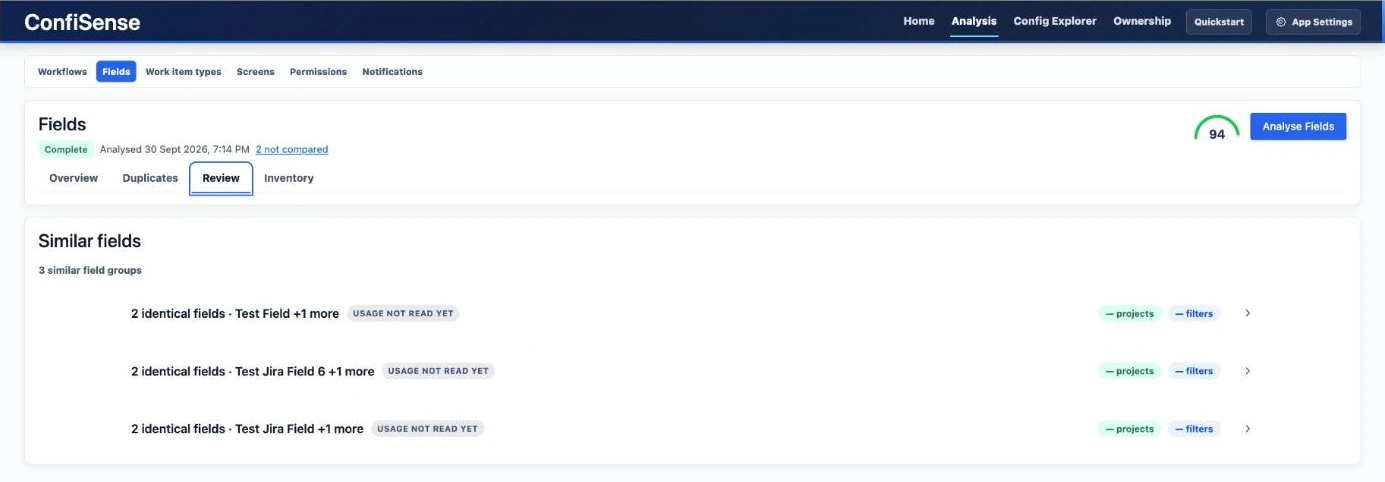
Where the available data is not sufficient to reach a reliable conclusion, the app reports that explicitly rather than filling the gap with an assumption.

Counts and statuses are therefore presented with the evidence available at the time of analysis, including timestamps where relevant.

Similar fields flagged with usage not read yet
Fields: where usage has not been read, the app says so rather than assuming.

ConfiSense

ConfiSense is designed around controlled change.

  • Analysis is read-only.
  • Changes require confirmation.
  • Administrators can see which objects will be touched before an action runs.
  • Every consolidation creates a restore point.
  • Results are recorded per object.
  • Every workflow consolidation has a rollback path.
  • Only one change operation runs at a time.
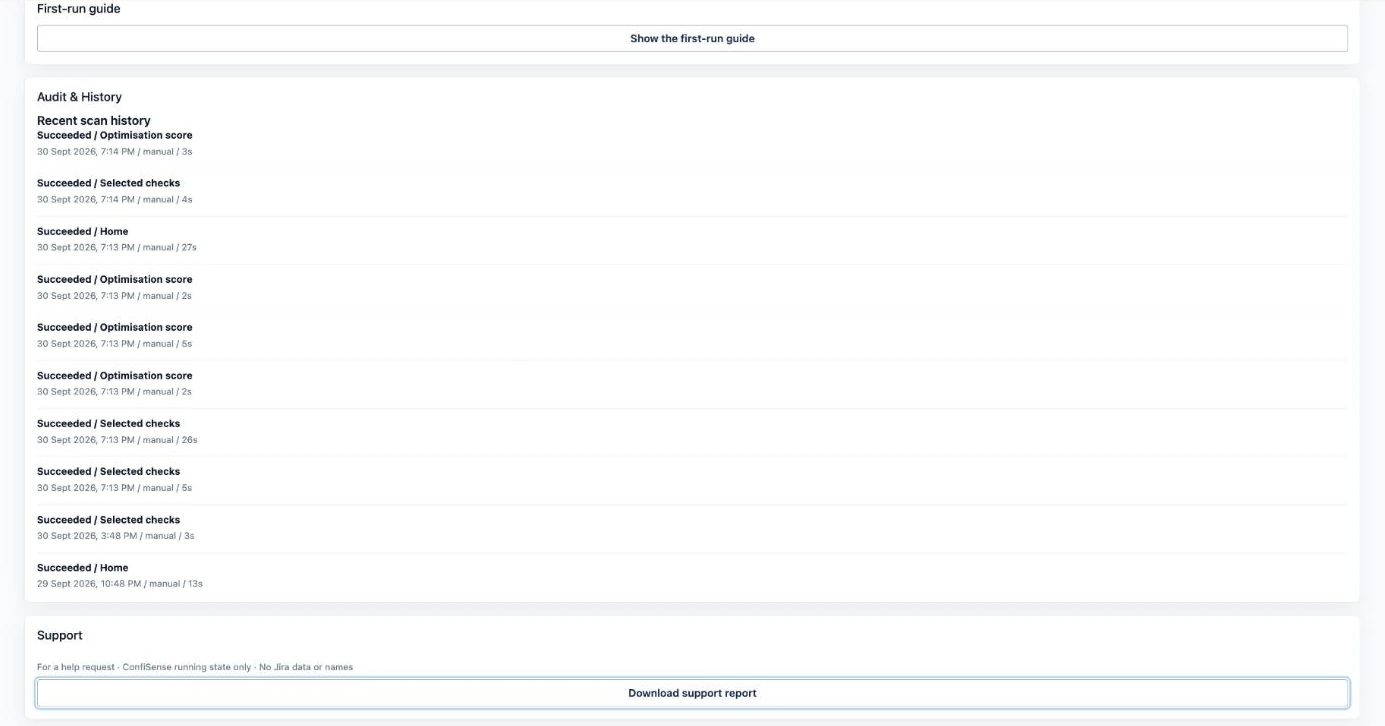
Audit and History list of recent scans with a support report button
Audit & History: a record of recent scans, and a support report.

ConfiSense

Runs Entirely Inside Atlassian

ConfiSense is built on Atlassian Forge.

Analysis results and run records are stored in Forge storage on the Jira site. The app makes no calls outside Atlassian infrastructure and operates without external servers or third-party storage.

Designed for Jira Environments at Scale

ConfiSense is intended for Jira Cloud administrators responsible for environments where configuration has accumulated over years and the impact of change needs to be understood before action is taken.

The current V1 is designed with environments in the approximately 2,000–10,000 user range in mind.

V1 Scope

ConfiSense V1 currently supports workflow consolidation.

Other configuration domains provide analysis and review capability but are not consolidated by the app.

Team-managed projects are excluded from scheme analysis because they do not use site schemes.

Automation rules are not read or transferred.

Requirements

Platform: Jira Cloud

Access: Jira administrator permission is required for analysis and consolidation.

Understand what is there before deciding what should change.

Use ConfiSense to analyse Jira configuration, investigate dependencies and impact, and consolidate identical workflows with a recorded path back.